

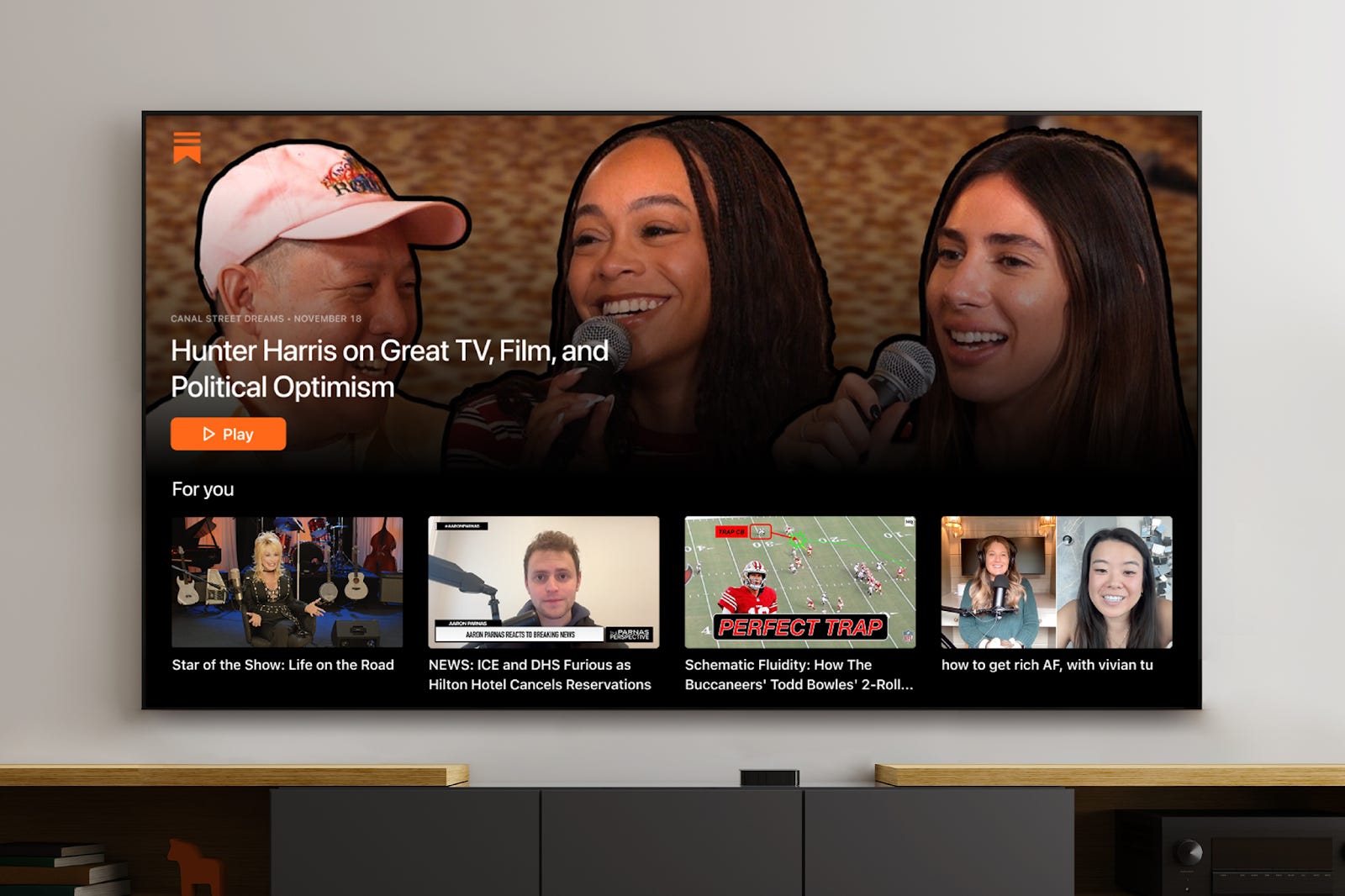
Today we’re launching the Substack TV app for Apple TV and Google TV. Substack is the home for the best longform—work creators put real care into and subscribers choose to spend time with. Now these thought-provoking videos and livestreams have a natural home on the TV, where subscribers can settle in for the extended viewing that great video deserves.
That might mean watching Dolly Parton reflect on her showbiz journey, George Saunders read from his book, or Tina Brown interview leading figures in news and culture. Chris Cillizza, the author of So What and a frequent on-air contributor, put it simply: “Video doesn’t have to live in any one place. It needs to be wherever someone chooses to consume it. The Substack TV app does just that for me and my work.”
What you can do with the TV app today
Creators who already publish video don’t need to do anything new—your videos will automatically be available for subscribers who are signed in to the TV app.
This initial version of the TV app is focused on reliable, high-quality viewing, and we’ll be adding more features over time. We’re starting with the essentials and will keep improving it based on how people actually use it.
At launch, subscribers can:
Watch video posts and livestreams from the creators and publications they’re subscribed to
Browse a “For You” row that highlights videos from their subscriptions, plus recommended videos
Open a dedicated page for each subscription to explore more videos from a specific publication
Both free and paid subscribers can sign in to the TV app and begin using it today, with viewing access matched to their current subscription level. While paid content previews for free subscribers aren’t supported yet, we plan to add them in a future update.
“I’m excited to report the Substack revolution will be televised,” said veteran journalist and former CNN anchor Jim Acosta, who uses Substack’s live video feature to host a daily news show. “This is a game-changing moment for the rise of independent media. Substack has proven that legacy media consumers are not only searching for fresh alternatives; they are finding them.”
How to watch Substack videos on your TV
Search for “Substack” in your TV’s app store and download the app (Apple App Store for Apple TV, or the Apps section for Google and Android TV devices).
Open the app on your TV.
A QR code will appear on the screen. Scan it with your phone or enter the URL manually to log in.
That’s it—you’re signed in and ready to start watching videos from the creators you subscribe to.
To check which system your TV is running on, go to System or Specifications in your TV’s settings.
Learn more about setting up the TV app in our Help Center
What’s coming next
Because this is an early version, some familiar Substack features aren’t available yet. We’ll expand what the TV app can do over time, including:
Audio posts and read-alouds
Search and improved discovery
Previews of paid content for free subscribers
In-app upgrades to paid subscriptions
Sections for different shows from one publication
Don’t forget to let your subscribers know you’re on Substack TV, and let us know what would make the experience even better.