
New on Substack: Subscriber Perks, saved Notes, scheduled Chats, MCP, redesigned podcast player, and more
More ways to customize your work, distribute written and audio content, and engage with your audience on Substack
Whether you’re spending your Substack summer tinkering with your existing newsletter or podcast or launching your first one, we’re shipping features that make it easier to publish, customize, and distribute your work, and engage with your audience. We look forward to hearing what’s most useful and what you want more of. Here’s the latest.
Paid subscriber Perks
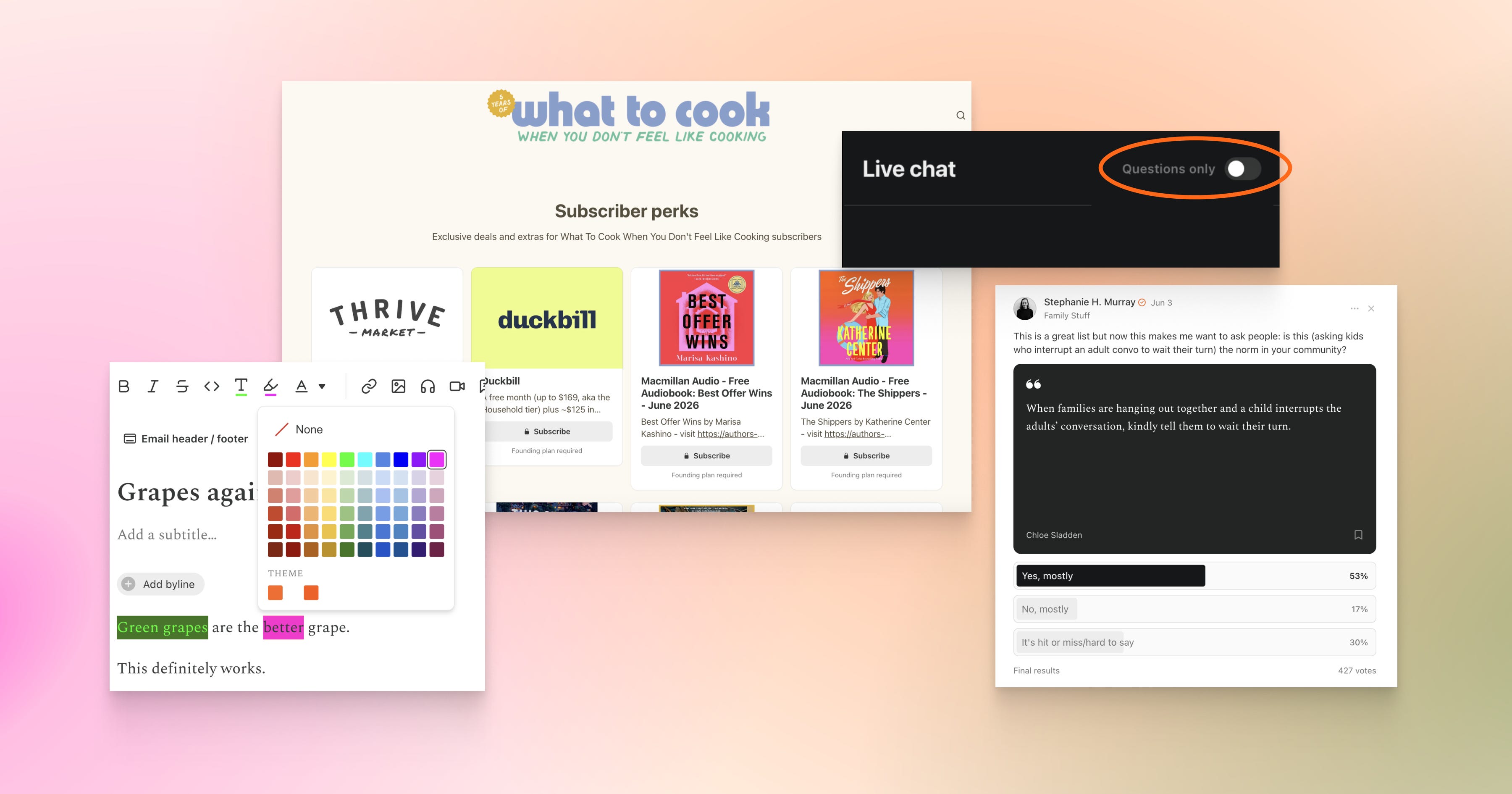
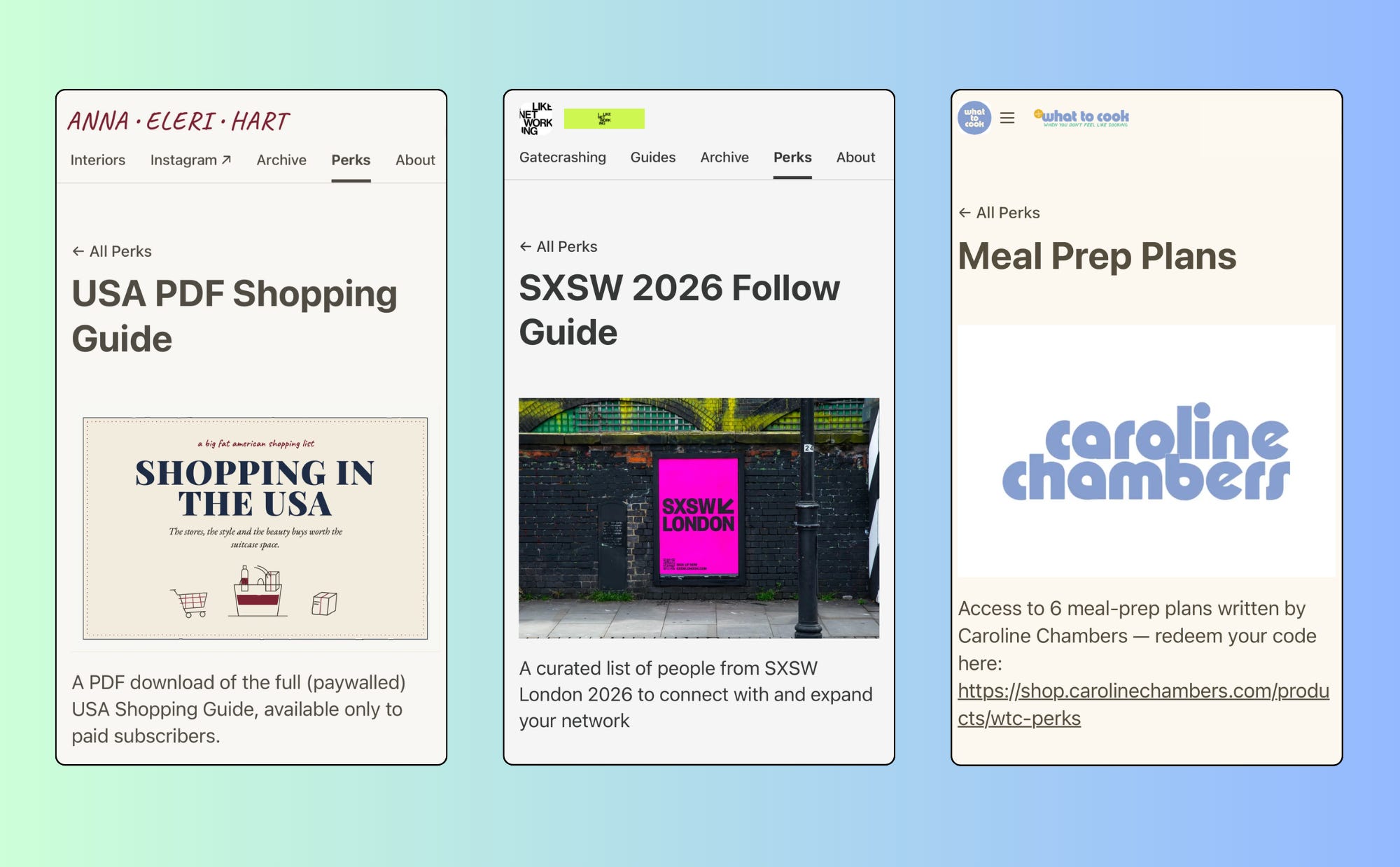
Subscriber Perks are a new feature that lets you give your paid audience something extra beyond traditional paywalled content, like discount codes, downloadable resources, or invites to live sessions. Perks you create will appear under the new “Perks” tab on your publication. It’s another way to thank the paid subscribers who support your work and encourage others to upgrade. This is available to publishers who have payments enabled.
Here are some perks publishers are already offering their paid subscribers:
Anna Eleri Hart’s U.S. shopping guide
I LIKE NETWORKING’s curated list of people to meet at SXSW London
Caroline Chambers’s six-day meal plan
Learn more about subscriber perks in our Help Center.
Saved Notes
You can now save Notes on iOS and Android directly in the Substack app. Saved Notes live in your Substack profile. Just click on the ⋯ in the top right corner to access them.
This dedicated space for saved Notes within your profile is like your curated reading list, or as Ru Rao put it, the place to revisit a Note that’s an “absolute gem.”
Scheduled Chats
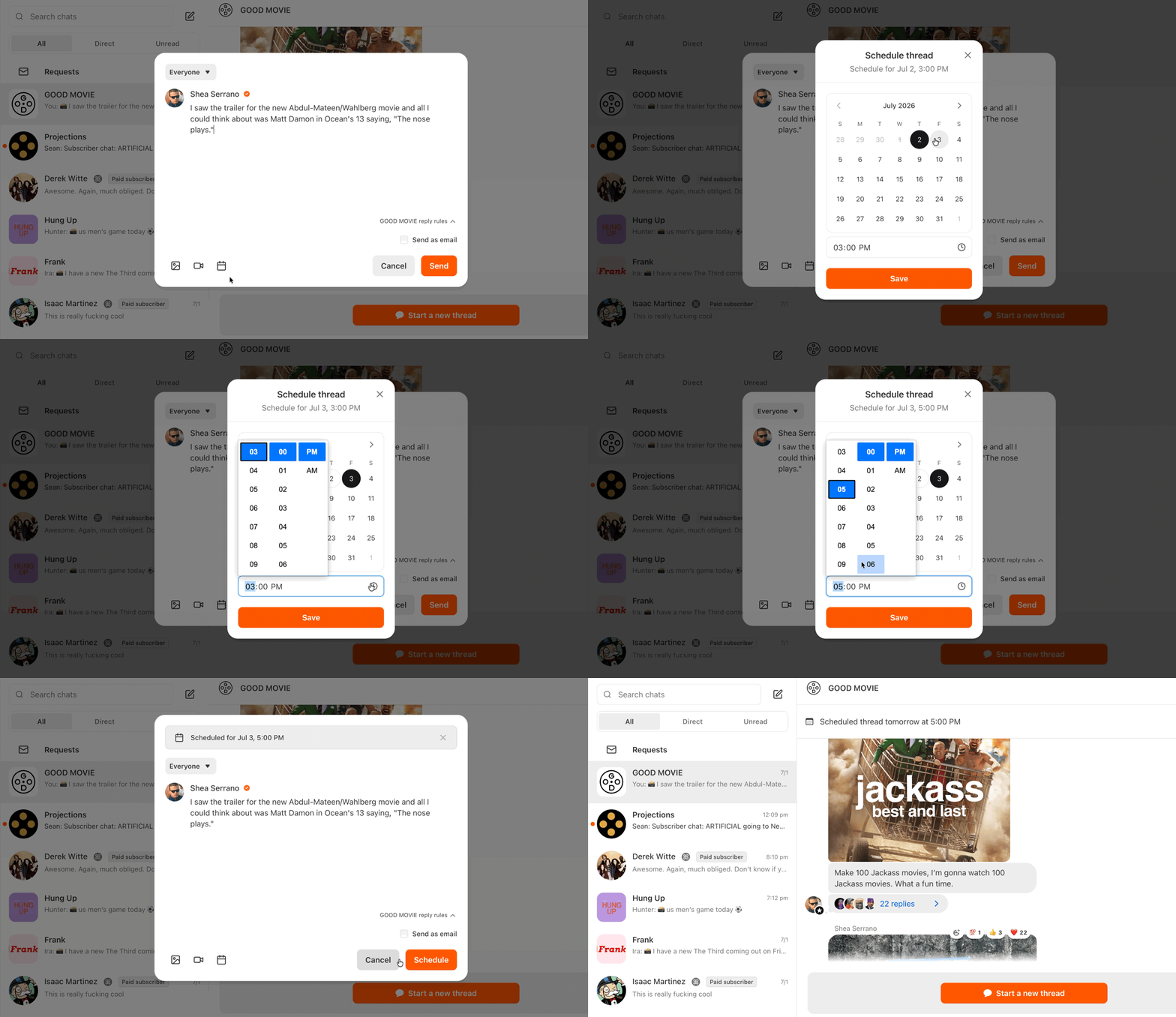
You can now schedule Chat threads just like you schedule Notes and posts. Scheduling chats is a great way to build community by connecting regularly with your audience between posts. Schedule a chat by going to the Chat tab, clicking the orange button to start a new Chat thread, and selecting “Schedule” in the thread settings
Polls
You can now post polls to Substack Notes. Polls are another way to continue the conversation with your audience by surfacing their opinions, preferences, and priorities. It’s just one click for them and can lead to a gold mine of ideas for you.
You can embed a poll in a Note or a post:
In a Note, click on the Poll icon in the bottom of the Note screen.
In a post, click “More” on the far right side of the text editor and select Poll from the dropdown menu.
Stephanie H. Murray, the writer of Family Stuff, recently restacked another publisher’s writing and polled her own audience to gauge their reaction to a parenting etiquette question. She received over 400 responses.

Text formatting
Superscript and subscript
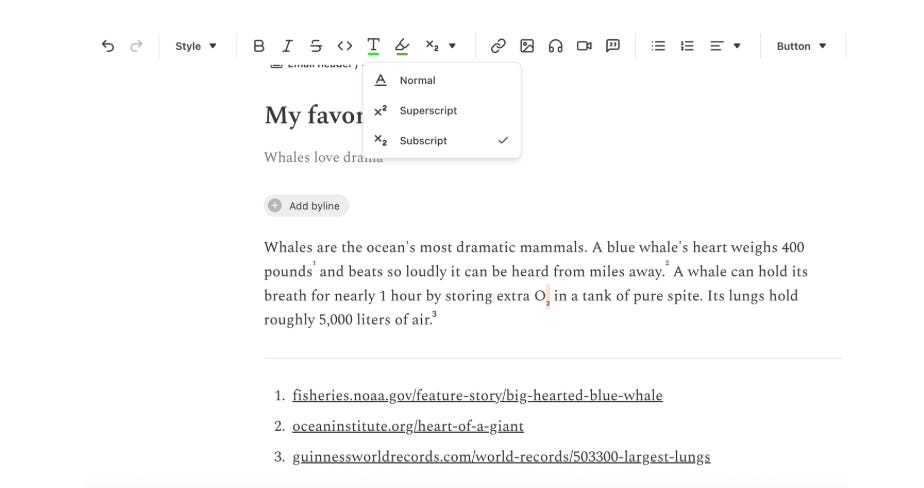
Both superscript and subscript are now available in the post editor. If your writing regularly includes footnotes, scientific notation, exponents, ordinals (1ˢᵗ), or trademark symbols, select “Superscript” from the text editor dropdown. If you frequently use chemical formulas (H₂O) or mathematical notation (x₁), select “Subscript.” We hope this comes in handy for you deep writers, researchers, and thinkers.
Text colors and highlight text
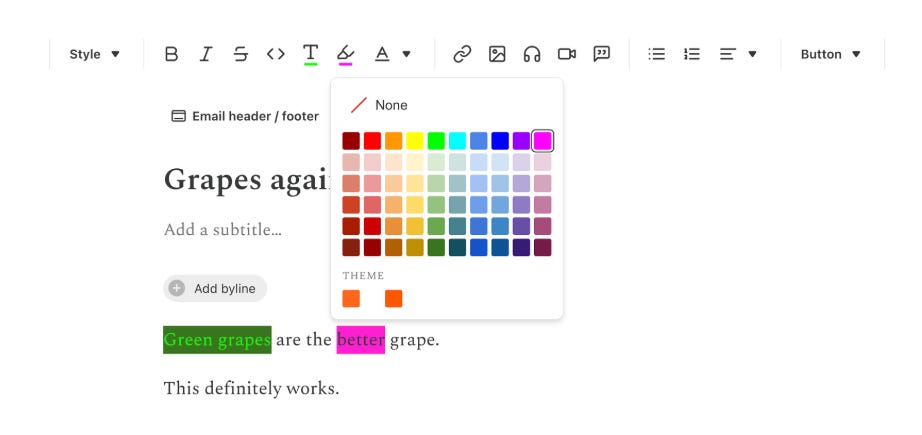
You can now change colors and highlight text you want your readers to pay extra close attention to. You can find the text colors and highlight feature in the post text editor.
Podcasts
A redesigned podcast player
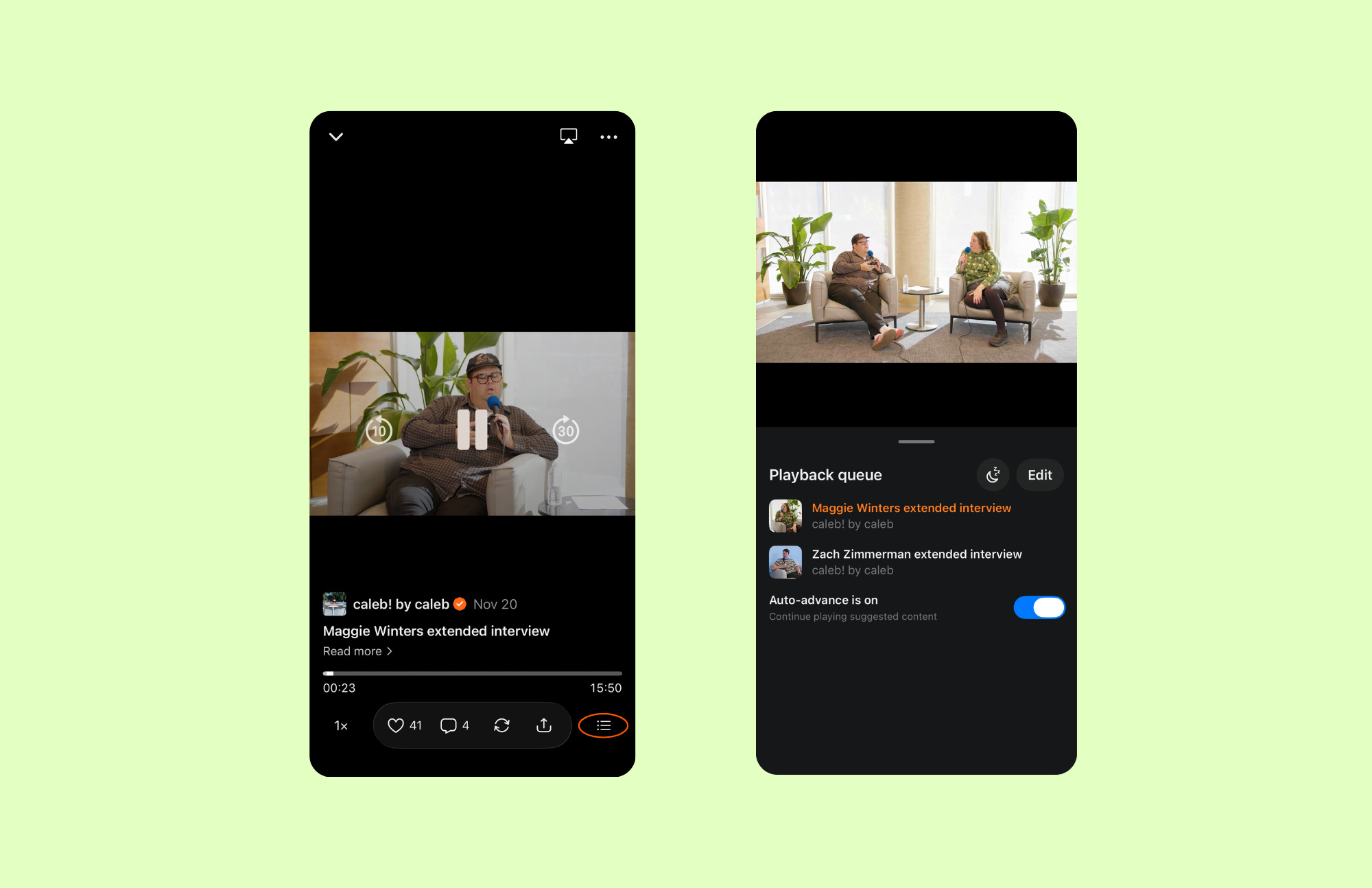
We made updates to our podcast and video player to increase engagement by giving your audience more controls. Subscribers can now adjust playback speed directly from the player, listen to episodes offline, and set a sleep timer to better control auto-advance behavior.
Podcast distribution support
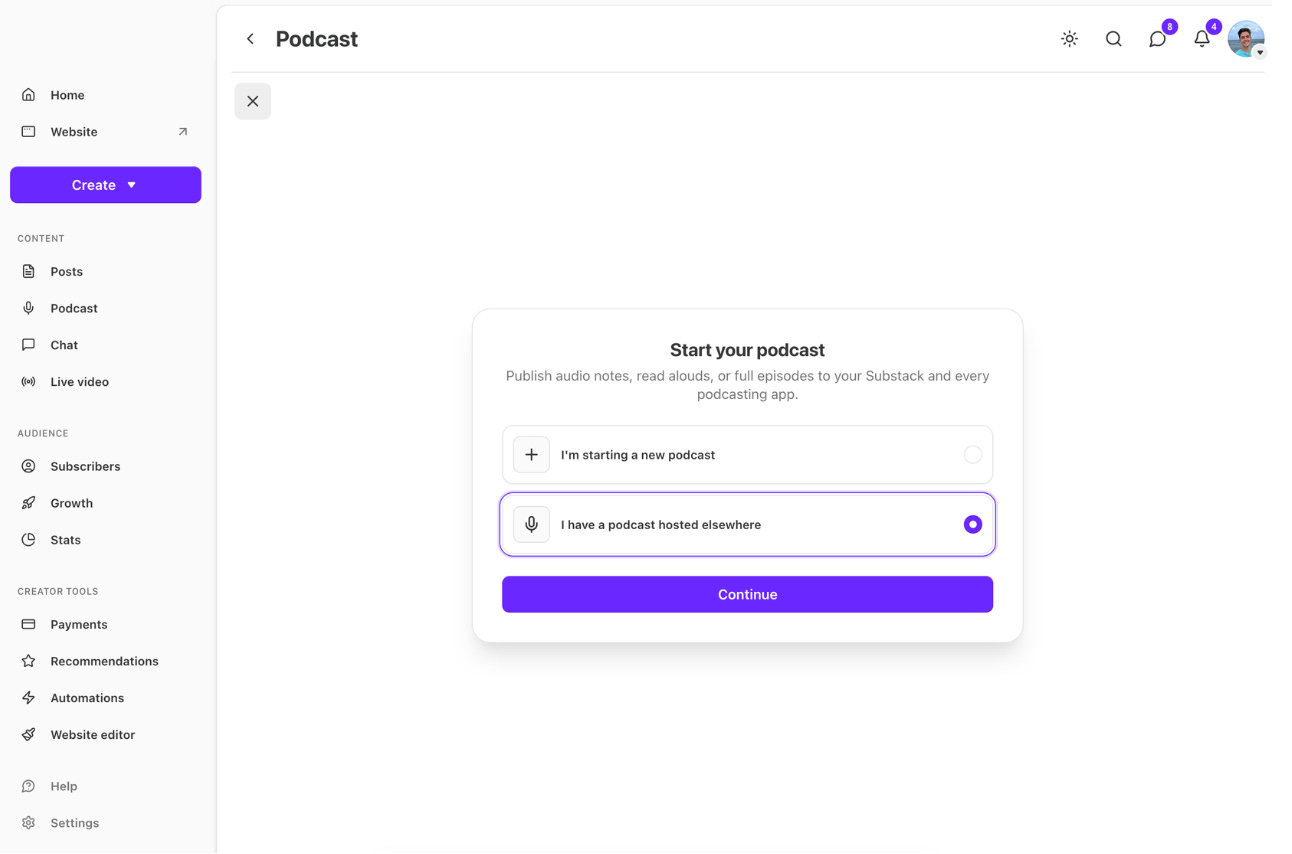
You can now distribute podcasts hosted anywhere to Substack with the same RSS feed and dynamically inserted ads. Get started here.
Tracking prefixes
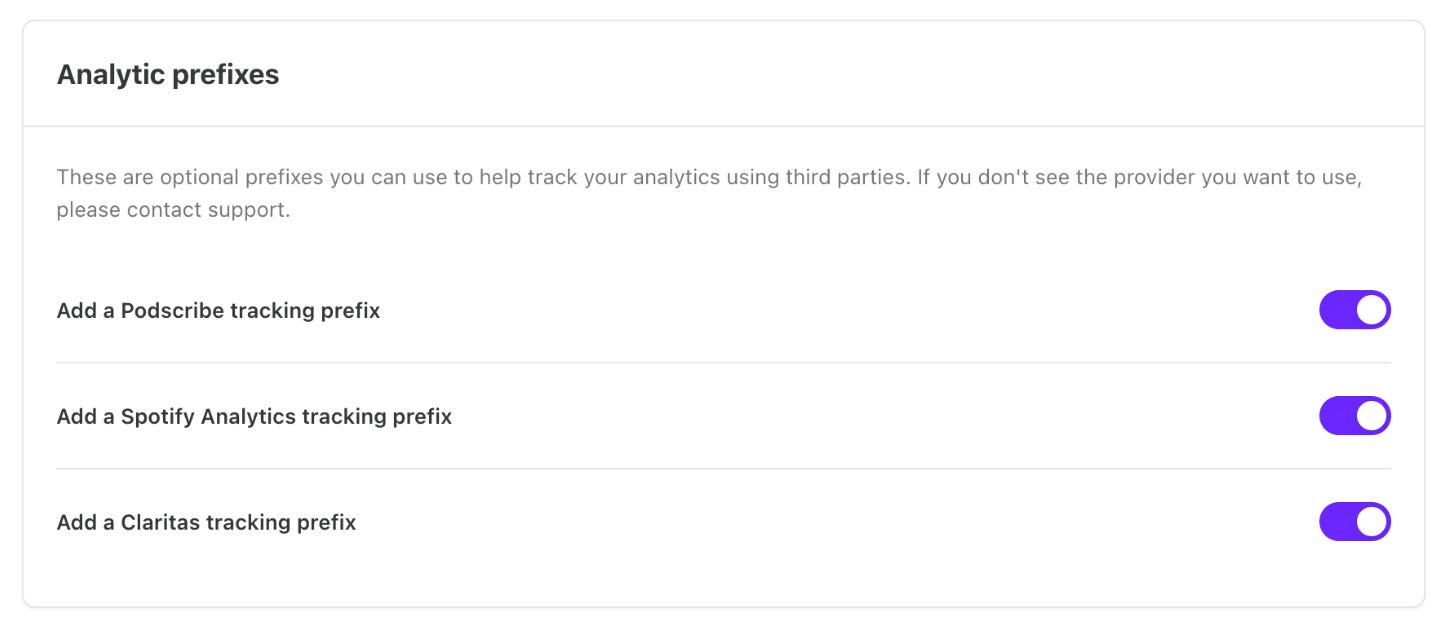
You can also now add tracking prefixes directly to your show from your Substack dashboard. Tracking prefixes are third-party tools that give you accurate download data across all listening apps. This feature is a part of a growing toolkit to help you run and grow your podcast business on Substack.
Filter subscriber questions in Chat
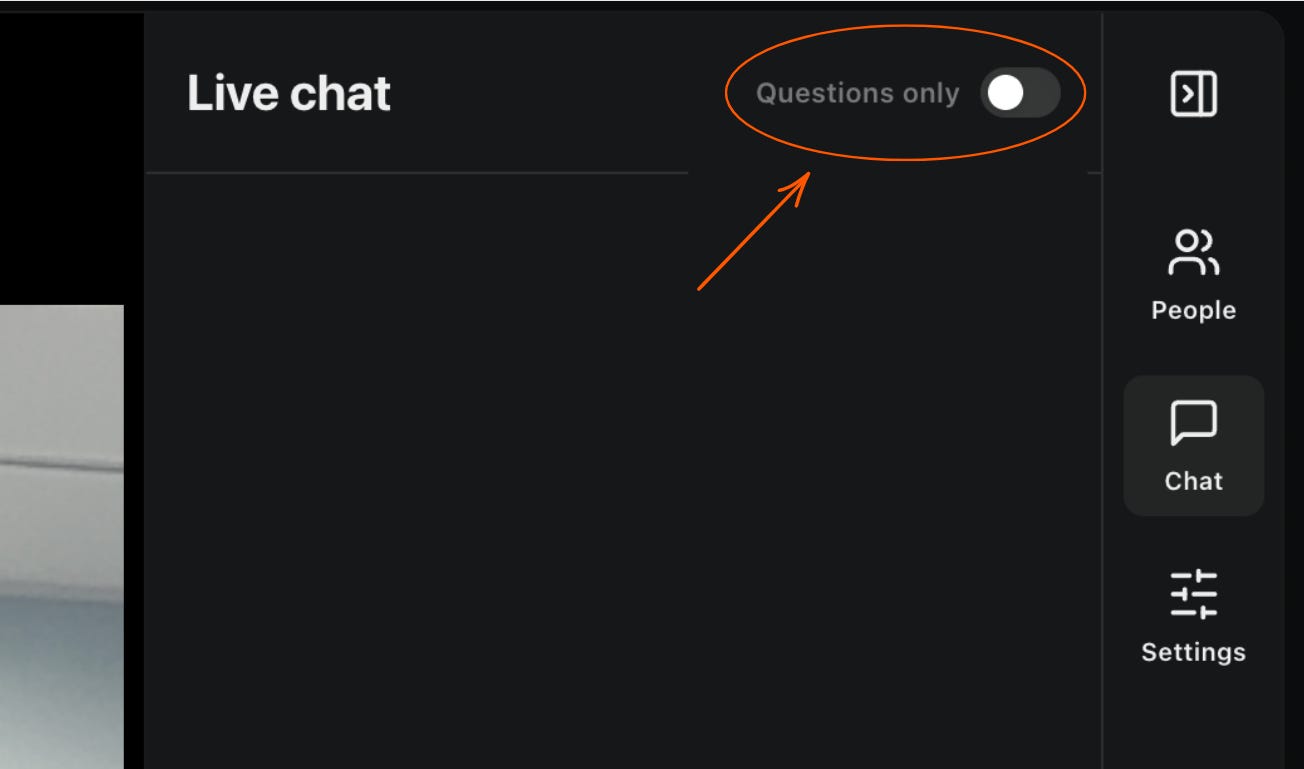
If you’re running a live video Q&A with your subscribers, you can now filter the chat to show questions only. It’s available on web, iOS, and Android.
Your video settings all in one place
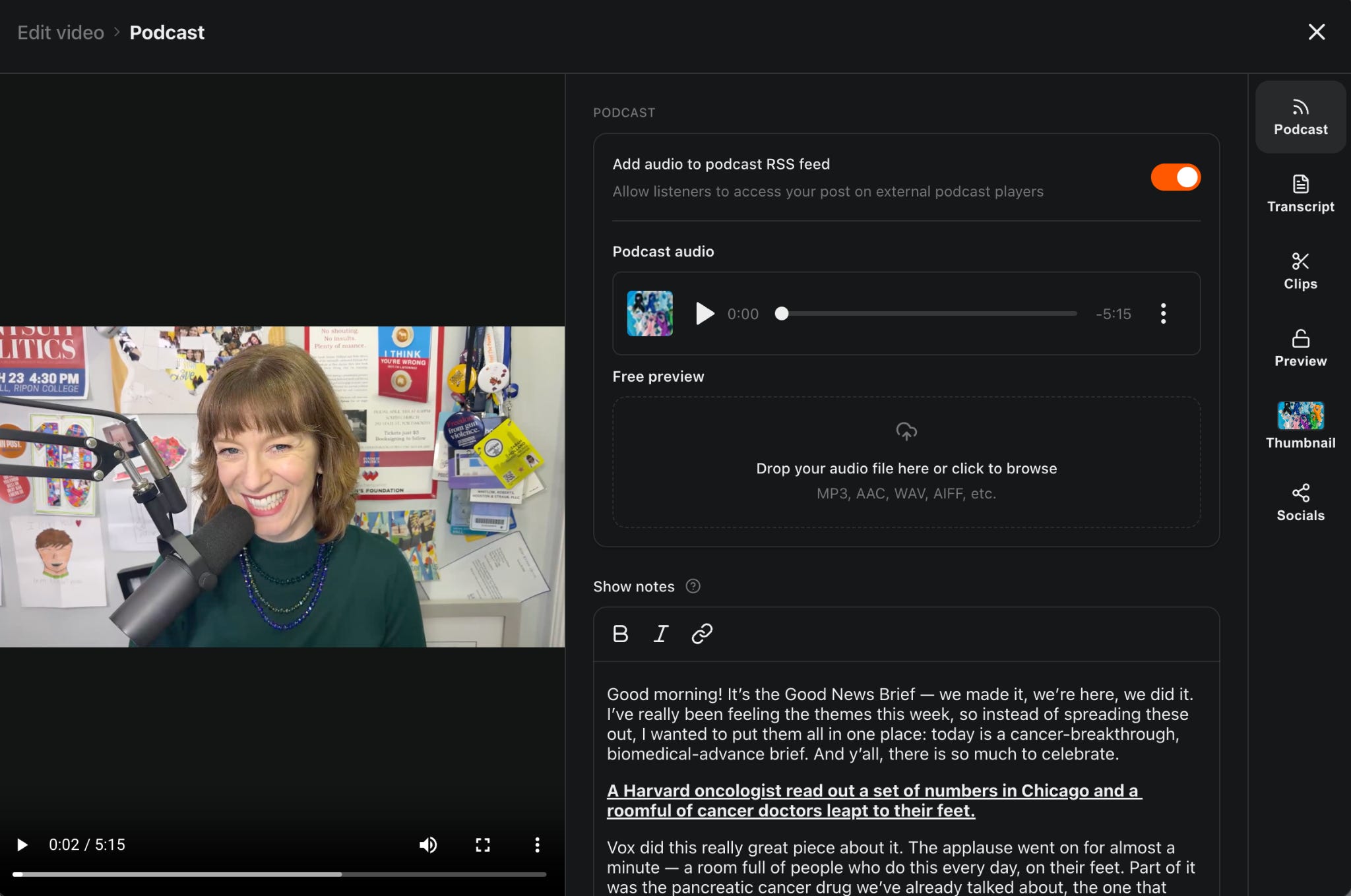
We’ve unified all your video settings in the Substack editor, making editing and publishing more intuitive for creators. Here are some key changes:
Podcast controls, free previews, clipping, and other options like transcripts and auto-publish to YouTube now live in one place.
An improved clipping experience includes full-screen viewing, plus an immersive creation flow with control over captions and layout.
Learn more about podcasts in our Help Center.
MCP for stats and analytics
We’re introducing Model Context Protocol (MCP) support for bestsellers on Substack, offering new ways to understand your publication stats by integrating with tools like Claude and ChatGPT. You can get up-to-date analytics about your publication’s performance, subscribers, and engagement over time.
MCP for stats and analytics is available for bestsellers. Learn more about the Substack MCP in our Help Center.
There’s more to come soon. Let us know what’s working and what else you’d like to see, in a Note, in a post, or by restacking.