

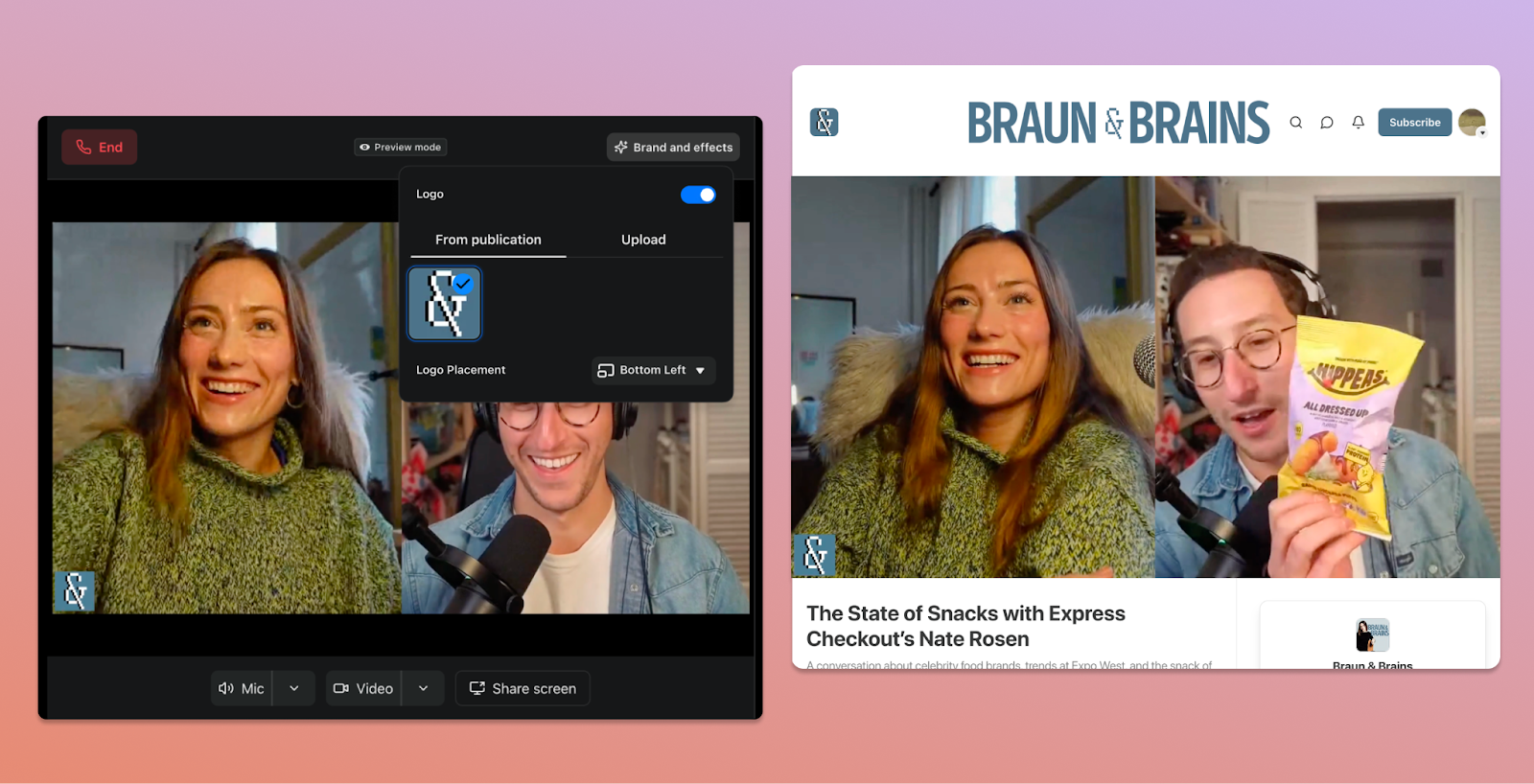
Today, we’re launching the Substack Recording Studio, a built-in studio that makes it easier than ever to pre-record and publish a show on Substack. Substack Studio, currently available on desktop only, lets you record a solo video or a conversation with up to two guests and publish it when you’re ready, with auto-generated clips and thumbnails included.
Until now, creating video on Substack meant going live, or stitching together a separate stack of tools: a recording platform, a way to create and distribute clips, and something to design a thumbnail. Substack Studio brings all of those tools into one place. And as with live video, anything you share is automatically distributed through the Substack network—in the mobile app, on the web, and on the big screen with Substack TV. Here’s what’s new:
Recording Studio
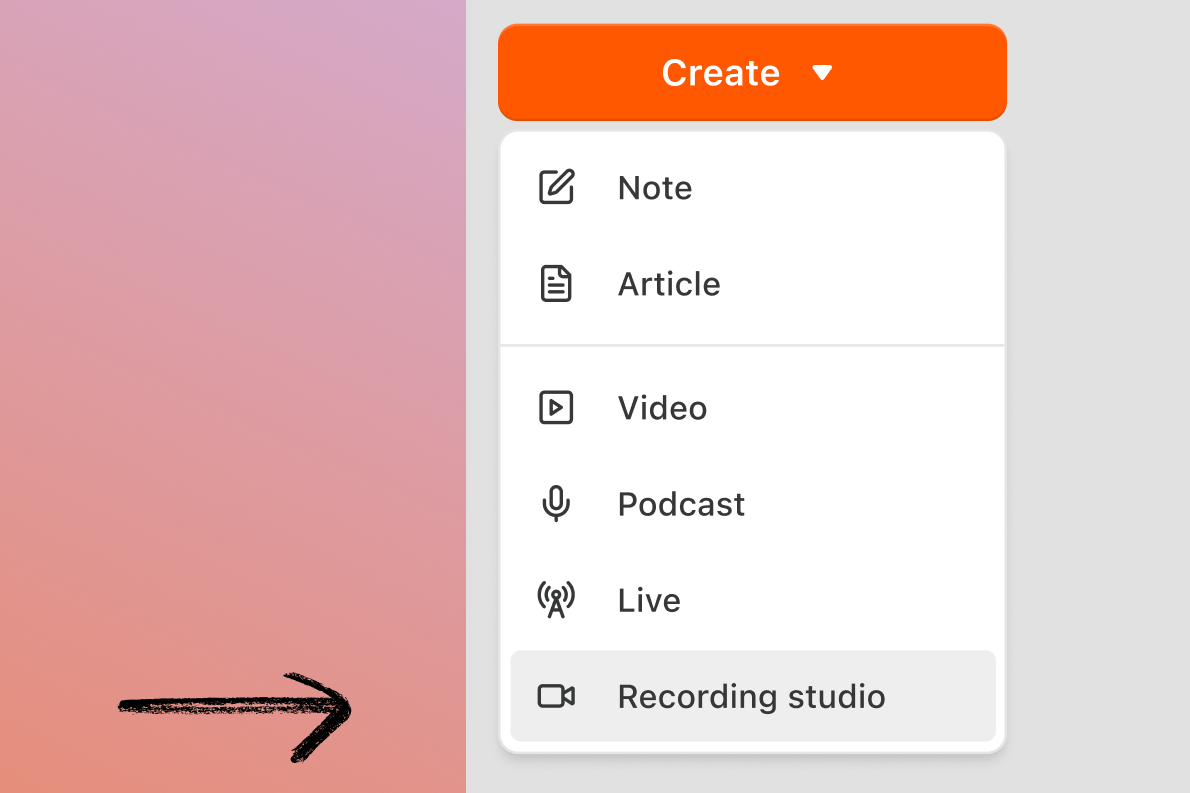
Record a conversation without going live and publish it when you’re ready. On desktop, simply click the Recording Studio button under “Create.” You can invite up to two guests, who can join from desktop or the Substack mobile apps. After they accept your invite, they’ll automatically join the preview room, and you can start recording. Once you’re done, you’ll get the same auto-generated clips and thumbnails you’d get from a live video.
Rachel Braun of Braun & Brains recently used Substack Studio to sit down with Express Checkout’s Nate Rosen for a deep dive into the trends reshaping the snack industry—recording, publishing, and clipping the entire episode using just Substack tools.
Publication branding
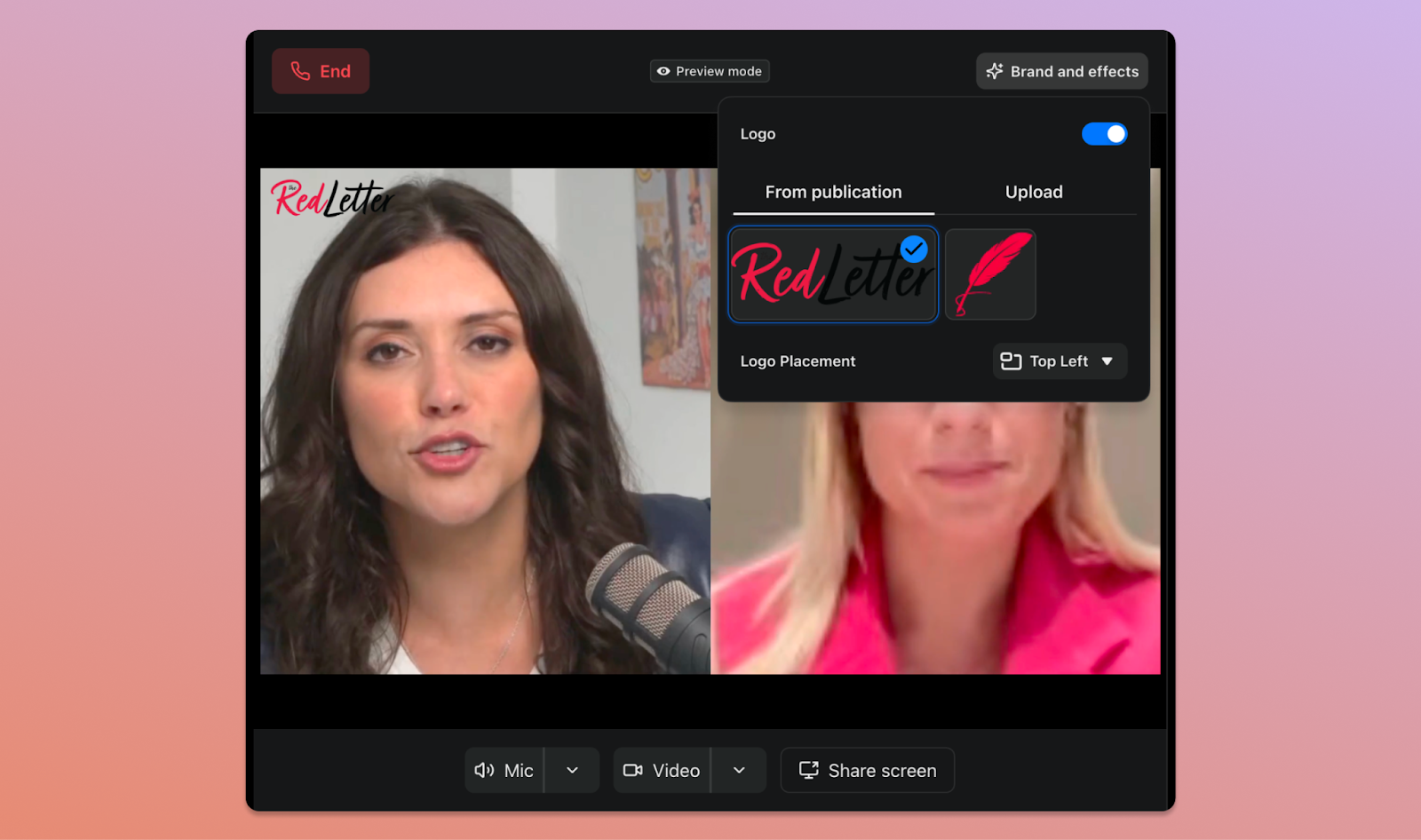
Hosts can now add a publication logo or wordmark directly into any show they record on Substack, whether it’s live or in the Studio. You can adjust it to appear in the top left, top right, or bottom left of the frame, and can also upload a custom asset if you want to add something specific to a show. This is the first step toward giving every show on Substack its own distinct look and feel.
Publisher Tara Palmeri recently added her Red Letter logo to an episode with congressional reporter Juliegrace Brufke.
Screen sharing
Hosts and co-hosts can share their screen mid-conversation to walk through whatever they’re referencing: a chart, a dataset, a news article, or a piece of writing. The shared screen is captured in the final recording, and is available for both livestreams and those taped in the Studio on desktop. For now, screen sharing is visual only; sound from shared content isn’t captured yet, though that’s coming soon.
AI and exponential technologies expert Azeem Azhar recently used screen sharing to give viewers a demo on how he runs his AI agent system.
Editable thumbnails
In December, we introduced automated thumbnails that generate as soon as your live video ends. Now, across both live and recorded video, you can pick the frame and customize the thumbnail text to match.
How to Feel Alive publisher Catherine Price customized the thumbnail text for her conversation with author Dan Coyle using Substack’s new thumbnail editing tools.
Learn more about the Substack Recording Studio in the Help Center.
The Substack Recording Studio and these new tools are available now. It’s worth giving them a try: recent data shows that creators who have used audio or video on Substack in the past 90 days have grown their revenue 50% faster than those who haven’t. Substack Studio makes getting started a lot easier.

To go deeper on these tools, watch our virtual masterclass, where we walk through the Recording Studio, share best practices for building a show on Substack, and answer questions from creators live.
We’ve turned off comments for this post. As always, feel free to share your perspective in a Note, in a post, or by restacking.